
Back to Resources
Exploit Eye - CVE and Vulnerability Search Tool for Ethical Hackers — OSINT tool screenshot
OSINT

Exploit Eye - CVE and Vulnerability Search Tool for Ethical Hackers

When you’re hunting for vulnerabilities, you jump between three different websites. NVD for CVE data. Exploit-DB for working exploits. GitHub for proof-of-concept code.

That’s annoying. You lose time. You miss things.

I built Exploit Eye to fix that.

The Problem

Here’s what happens when you research a vulnerability. You find a CVE number somewhere. CVE-2025-1234, for example.

First, you check the National Vulnerability Database. You find details there. Severity scores. Affected versions. The description tells you what’s vulnerable.

But no exploit code. For that, you need Exploit-DB.

So you open Exploit-DB in another tab. Search again. Maybe you find an exploit. Maybe you don’t.

Then you want to see if someone made a tool for it. Off to GitHub. Third search. Third tab.

Three searches. Every single vulnerability.

That gets old fast when you’re doing actual security research.

What Exploit Eye Does

Exploit Eye searches all three at once. One keyword, complete results.

Type “apache” and get:

All Apache CVEs from NVD

CVSS scores and severity ratings

Direct links to Exploit-DB exploits

GitHub repositories with security tools

One search. Everything you need.

Features

→ Search latest critical CVEs (last 7 days) → Search CVEs by keyword or vendor/product → Get detailed CVE information with CVSS scores → Search Exploit-DB for working exploits → Search GitHub for POCs and security tools → Clean terminal output with direct links

Use it for ethical hacking, penetration testing, bug bounty hunting, security research, vulnerability tracking.

How It Works

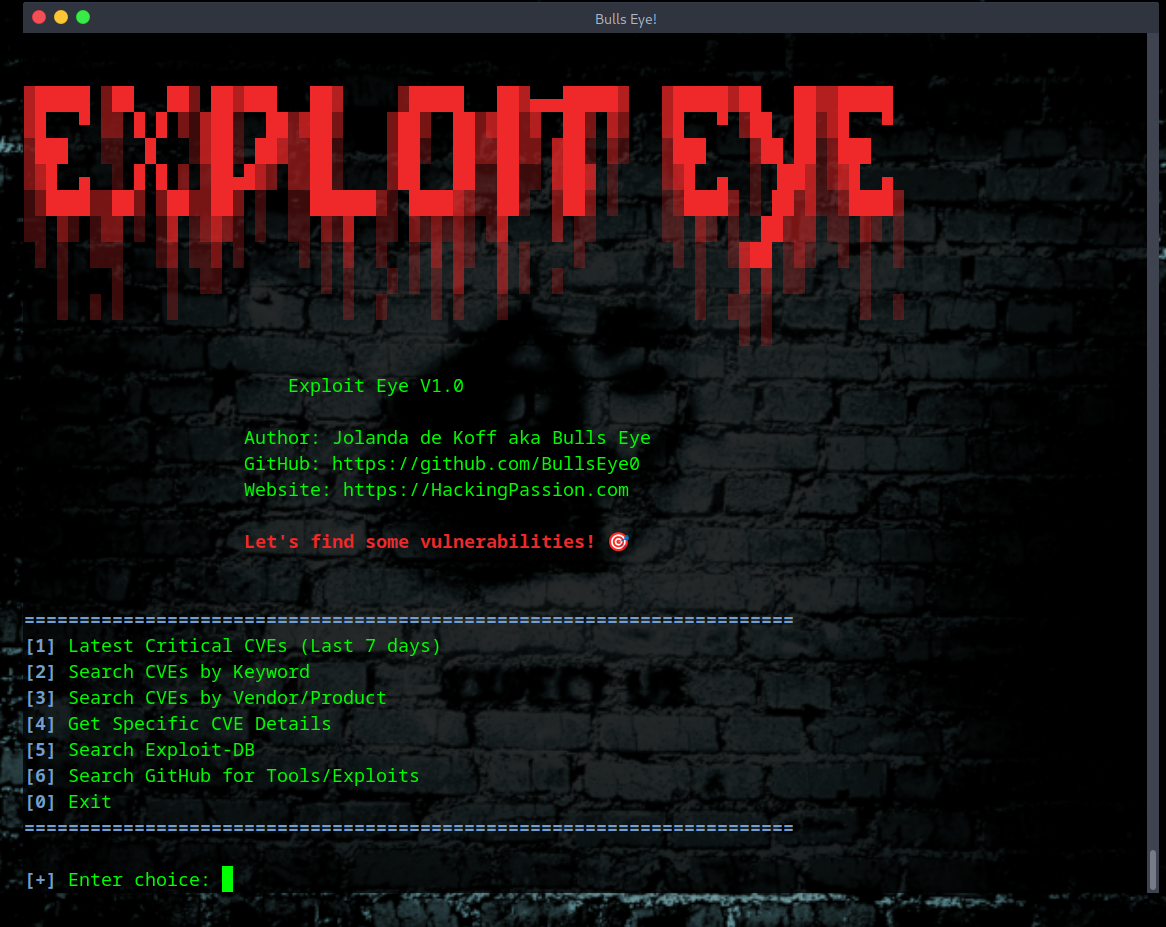
Run the tool. You get a menu with six options.

[1] Latest Critical CVEs

Shows the vulnerabilities discovered in the last 7 days that are rated critical. Check this regularly. This is what attackers are looking at right now.

[2] Search CVEs by Keyword

Your main search option. Type anything - “apache”, “wordpress”, “windows privilege escalation”. Get every related CVE.

[3] Search CVEs by Vendor/Product

Same as option 2, but focused on specific vendors. Microsoft vulnerabilities, Cisco products, whatever you need.

[4] Get Specific CVE Details

For when you have the CVE number. CVE-2025-1234, for example. Get full description, CVSS score, severity rating, direct links to exploits and GitHub POCs.

[5] Search Exploit-DB

Searches Exploit-DB for working exploit code. Direct links to exploits you can use. Finding the vulnerability is one thing. Getting the code that exploits it is what matters.

[6] Search GitHub for Tools/Exploits

Searches GitHub for security tools, proof-of-concept code, exploit frameworks. Sorted by stars so you see what the community uses.

Installation

Exploit Eye has been tested on Linux (Kali, Parrot, Ubuntu, Debian, Arch).

Should work on most systems with Python 3.

1

2

3

4

5

6

git clone https://github.com/BullsEye0/exploit-eye.git

cd exploit-eye

python3 -m venv venv

source venv/bin/activate

pip3 install -r requirements.txt

python3 exploit-eye.py

0 downloads